Custody log for separated parents

Your custody record, dated and organized.

CustodyBook is a private log for one parent: custody days, exchanges, shared expenses and the date you asked the other parent to pay. Every entry is dated, and the month exports as a clean PDF you can share with your lawyer.

Free for 7 days · then $14.99 once, yours for life · no account, no ads, nothing to sync with the other parent

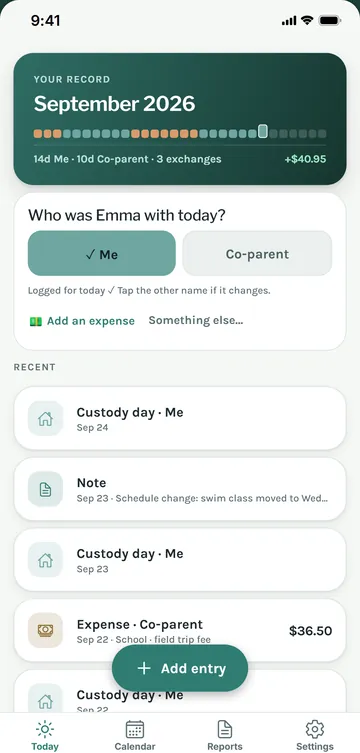
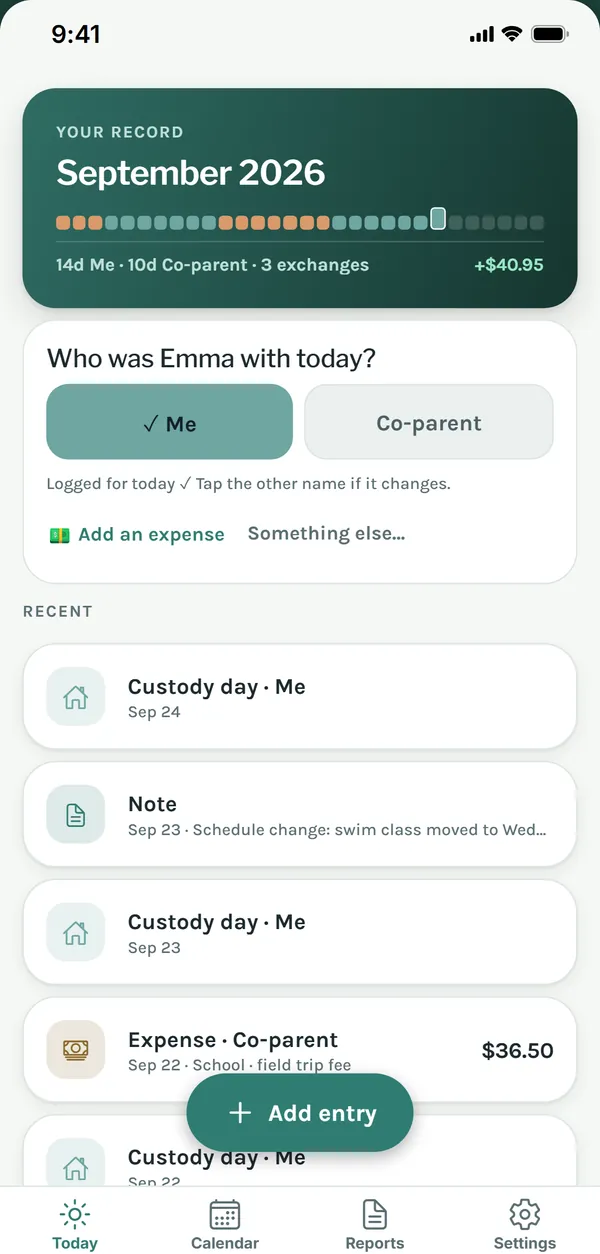
CustodyBook today screen: who was your child with today, and the month at a glance

Your record doesn't need the other parent.

Shared co-parenting platforms work when both parents join. A personal record needs three things: dates, facts and math.

ONE-SIDED

Nobody else has to install anything

It's your log, on your phone. The other parent never sees it, approves it or blocks it.

DATED

Every entry has a date

Each entry carries the date it describes. Add time and place when it matters.

MATH

Who owes whom, to the cent

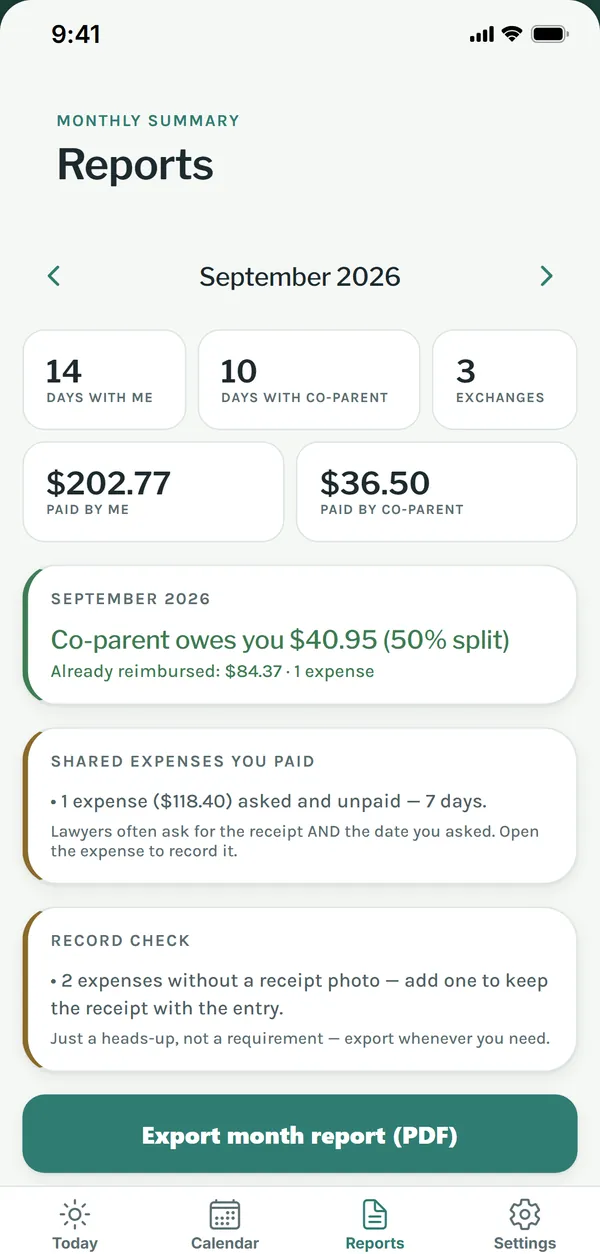
Shared expenses with receipt photos and your split. The report shows what is still outstanding and since when.

The monthly PDF

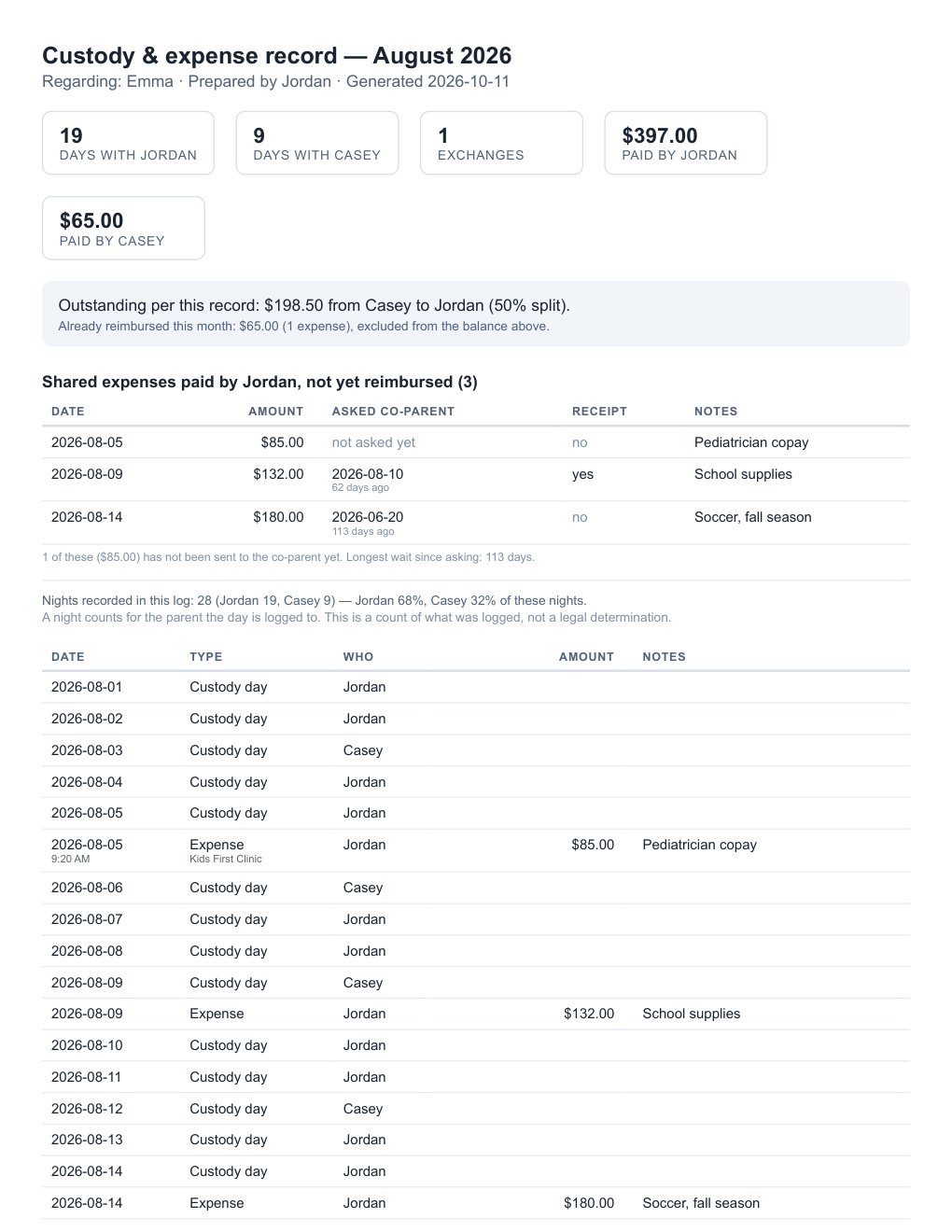
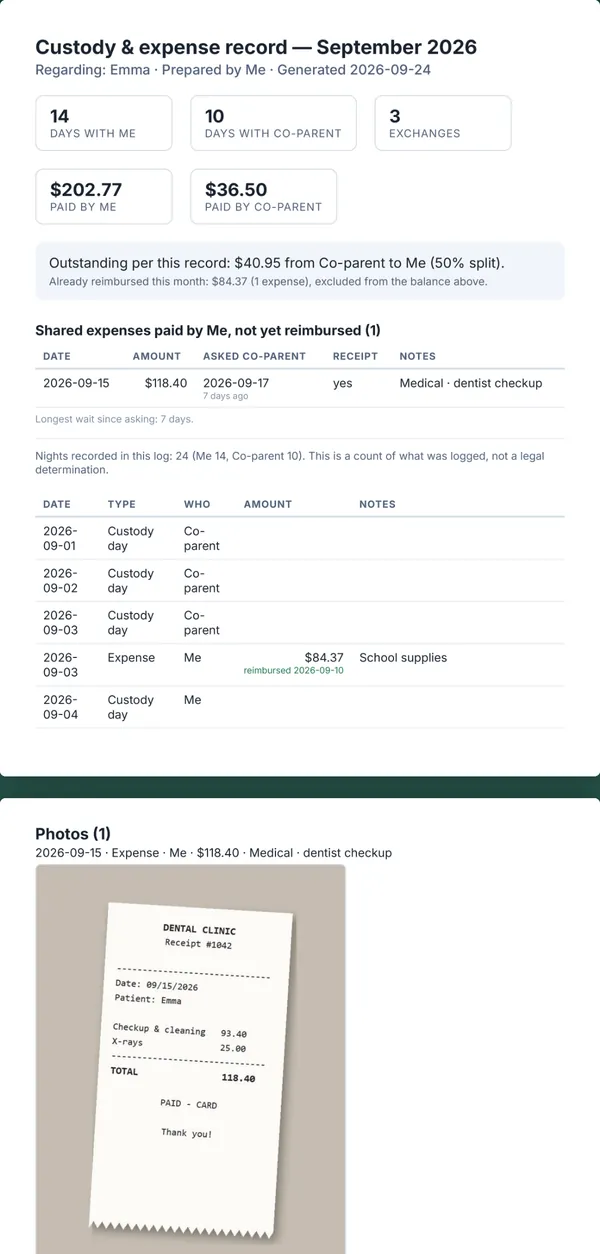
A clean monthly PDF for your lawyer.

  • Days with each parent, exchanges, expenses paid by each side
  • Outstanding balance per this record, with the split you set
  • Shared expenses not yet reimbursed — amount, receipt, and the date you asked the other parent
  • Every entry, dated, with time and place if you added them
  • Receipt photos attached at the end
Open the sample PDF (3 pages)

Sample data. Names and amounts are made up.

Sample CustodyBook monthly report: days with each parent, outstanding balance and shared expenses not yet reimbursed

Three small habits.

Most days it takes one tap.

STEP 1

Tap who your child was with

Every day, one tap: me or co-parent. Exchanges that did happen — and the ones that didn't — get their own entry.

STEP 2

Log the expense with the receipt

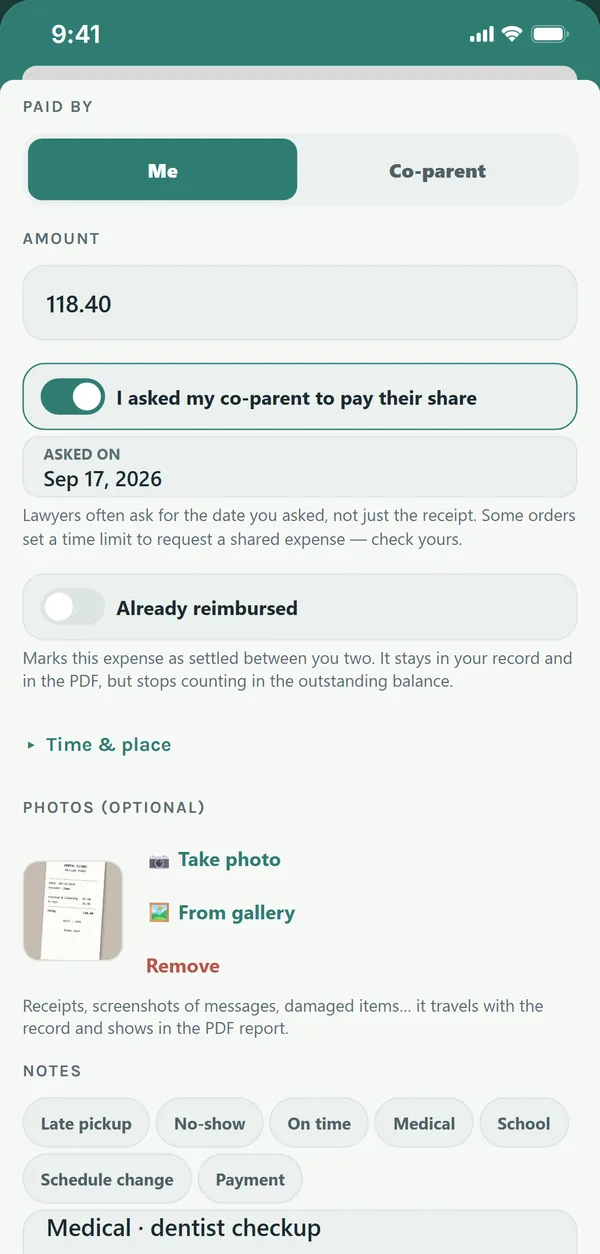
School, doctor, shoes. Snap the receipt, set who paid, and mark the date you asked the other parent for their share.

STEP 3

Export the month

A neutral, factual PDF — or a plain-text summary you can paste into a message to your lawyer.

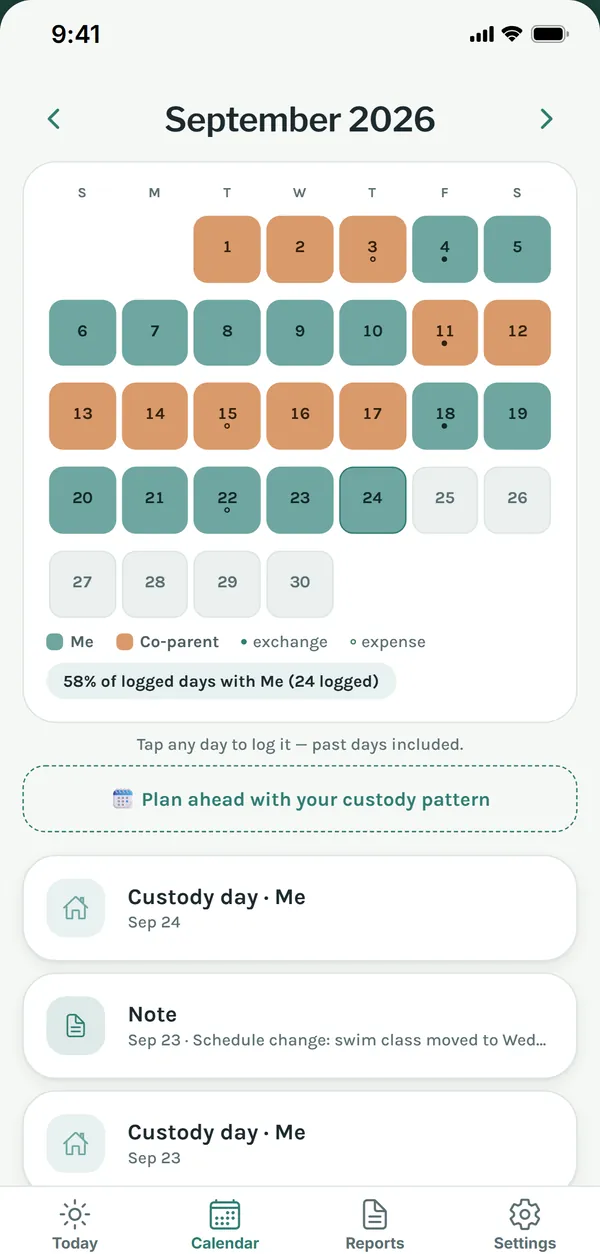
Custody calendar with days marked per parent Today screen: who was your child with today Expense entry with the receipt photo and the date you asked your co-parent to pay Reports screen with the monthly summary Monthly PDF report

Honest pricing.

No subscription, no account, no ads. Try everything, then decide.

TRY IT FIRST
Free for 7 days

Unlimited entries, summaries and PDF reports. Nothing is locked.

AFTER THAT
$14.99 once

One purchase keeps the app yours for life. Nothing gets deleted if you wait, and exporting your data is always free.

What people use CustodyBook for.

Different names for the same need: a private, dated record you can share with your lawyer.

Custody log / custody journal

Who your child was with each day, dated. A count of what you logged, not a legal claim.

Visitation log

Exchanges that happened — and the ones that didn't — with time and place. "Exchange did not happen · 3:15 PM · school parking lot."

Parenting time record

Overnights and days per parent for the month and the year, side by side, exported as PDF. Expenses also export as CSV.

Co-parenting expense tracker

Shared expenses with receipt photos, your split, what is still owed per this record, and the date you asked the other parent to pay.

Custody calendar app

2-2-3, week-on/week-off and other rotations, planned ahead and corrected with one tap when reality differs.

Monthly custody report

A neutral, factual monthly PDF with the entries, the math and the photos attached. Made to be handed over, not argued about.

Questions parents ask.

What will my lawyer get?

A clean, factual PDF of what you logged: days, exchanges, expenses and receipts, by month or by date range. What to do with it is up to you and your lawyer. CustodyBook records what you enter and is not legal advice.

Does the other parent have to install anything?

No. CustodyBook is one-sided by design: it is your record, on your phone. The other parent never has to join, approve or see it.

Is it a subscription?

No. Everything is free for 7 days, then a single purchase of $14.99 keeps it yours for life. No monthly fee, no account, no ads.

Where is my data stored?

Your entries are stored on your phone. There is no account to create and no messaging. Save a backup file whenever you want and restore it on a new phone; the app warns you when entries are not backed up yet.

Does it calculate child support or "who gets custody"?

No, on purpose. It counts what you logged — days, exchanges, expenses — and says so in the report. Anything legal stays with your lawyer.

Guide

How to keep a clear custody log

Lawyers often ask parents for the same thing: a record that is dated, factual and boring. Here is what that means in practice.

1. Write it the same day

A short note that evening is clearer than a memory rebuilt three months later. If you add something later, say so.

2. Facts, not conclusions

"Exchange did not happen · 3:15 PM · school parking lot" is a fact. "They refused to hand her over again" is an opinion. Log what, where and when; leave the adjectives out.

3. Keep the receipt and the date you asked

For shared expenses, lawyers often ask for two things: the receipt, and the date you asked the other parent. Mark the day you asked, every time.

4. Count, don't calculate

Days with each parent are a count of what you logged, not a legal determination. Let the report say exactly that.

5. Back it up

A record that lives only on one phone can be lost with the phone. Save a backup file to your email or cloud drive regularly.

CustodyBook records information you enter. It is not a law firm and does not provide legal advice. Talk to a family lawyer in your state about your case.